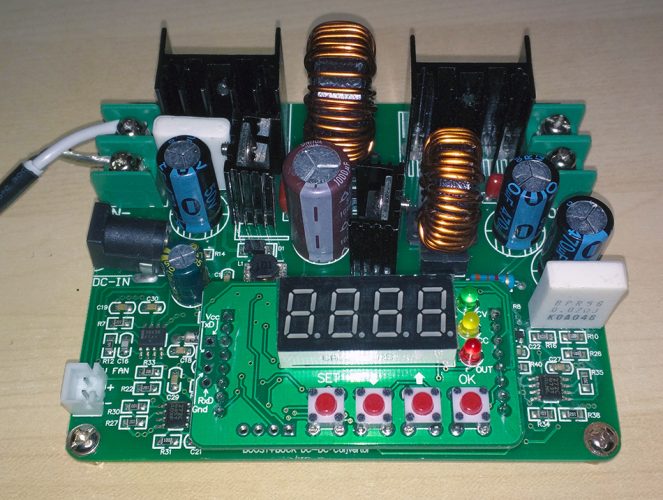
On the proper use of the I2C bus in general and with the Logos RGB Matrix Backpack

Note: In the course of all this I created an improved Arduino I2C bus scanner. Check it out!

First, a thank-you to Pierce from Logos Electromechanical who clued me in on what I was doing wrong with the backpack.

It turns out there are two common ways to detect an I2C device: address it and see if it ACKs (quick mode), or address it and try to read a byte from it (read mode). Some devices that aren’t set up to write don’t like to be read from and will cause problems if you try to do that (in this case, SDA gets pulled low and stays low!) I thought it was a bug but no, it’s actually how this device is supposed to work.

I selected an address for my backpack of 0×58. It turns out that i2cdetect has some intelligence when it comes to its default behavior – it will decide based on the address how best to perform its test of that address. If the device address is in the ranges {0×30:0×37,0×50:0x5f}, it will use read mode. Outside those ranges, it will use quick mode. See the i2cdetect.c code for how this was implemented in Linux.

So I chose… poorly – at least when it came to the address for the backpack (and keep in mind that the default address of this device is 0x7F, which is invalid for I2C, so you MUST select a valid address via solder bridging the appropriate pads!) Since the high (0×40) bit is already “1″ on this device, you can choose an address within the valid range of 0×40:0×77… I suggest something outside the 0×50:0x5F range though, to avoid accidentally triggering this (otherwise, be careful to use “-q” with i2cdetect). You can quickly tell when you screw up and try to read from this device: everything else will drop from your I2C bus and detect will act like every I2C address is in use by a device! (Unplugging the backpack from the circuit and from its power source for a moment will reset its state.)

You can read more about the I2C protocol here and here, learn about special addressing modes here, and see the specs here.

When using the Raspberry Pi model B note the I2C bus on the main header is numbered 1 (older boards have bus 0 on that header).

Share
Posted in Electronics, Software and Hardware development | Tagged , , | Leave a comment

Ah, Maker Faire! BeagleBone, HexBright, etc.

I had a great time at Maker Faire this weekend! I picked up a few items which I’ll quickly summarize here:

First, I snagged a BeagleBone Black kit. I haven’t had a chance to open it up yet but it looks promising, though I wonder just how much trouble it’s going to be… it sounds like it will be more daunting than my Raspberry Pi (which I’m finally making good use of!)

I also picked up a Logos Electromechanical Labs RGB LED Matrix Backpack to fiddle with. I’ve been busy getting I2C devices working with my Rpi and thought this would be a fun addition! (I’ve previously fiddled with them on the Arduino, but the Wire library on Arduino leaves much to be desired in terms of correctness). Sadly, while it works with the Arduino, the backpack appears to hose to I2C bus on the Rpi (note that since this backpack is a 5V device I am using an appropriate level shifter to interface it to the 3.3V Rpi). It seems that once it’s addressed (or even detected, e.g., via i2cdetect) it doesn’t correctly relinquish the bus until the backpack is disconnected and powered off. I’ve emailed them to see if they know why this is and how to fix it (I suspect it’s a firmware problem on the backpack, which is AVR-based… but I’m not sure how I’d update it yet).

UPDATE: the backpack works fine with the Pi – it was the nut behind the wheel that was the problem. More in an upcoming post. :-D

My most unique purchase was the HexBright FLEX 500 lumen Arduino-powered LED flashlight! :-D I was able to reprogram it pretty easily, though it doesn’t work with the Arduino IDE 1.5.x yet (also, when adding this target, merging their boards.txt to your boards.txt is the easy way to go… it didn’t work for me otherwise).

Note that I’m not thrilled with the charger that comes with the HexBright… I recently learned a LOT about off-brand USB chargers I was unaware of, particularly with regard to safety, from this EEVBlog post among other places, and that makes me wary of chargers that look like knockoffs. While I’m happy to use cheaper parts when possible (I’m certainly not a hardware purist!), I expect the things I plug into my wall to have a a valid UL stamp on them at the very least. Bonus points if they spell the words right on it (“inter-mation equipment”? Looks like copy-pasta from a few other questionable chargers I’ve seen teardowns of – probably the same maker slaps whatever name you want on them). And no, that serial number is not “serial” at all on cheap chargers.

20130519_181233

Again, not knocking the flashlight, which seems pretty solid… just not thrilled with the cheap USB plug-in charger it comes with. Now that I know more about what goes into these small form-factor chargers I can appreciate that you don’t want to skimp when it comes to quality on them.

Share
Posted in Electronics | Tagged , , , , | Leave a comment

Windows and the Case of the Unexpectedly Incorrect Desktop Icon

Tonight I moved my installation of Eclipse to another folder. I made sure to update the registry accordingly… this is where NirSoft’s free RegScanner utility came in handy: it’s something like Agent Ransack (another awesome free utility) for registries. I found all the instances of the old path, exported the .reg file, updated it, then imported it. It worked, and saved lots of tedium hunting through the registry manually for the same things.

Then, in the course of updating things I updated the software for my OWON oscilloscope. Up to this point everything worked fine, but when I put the ‘scopes icon on the desktop it was the Eclipse icon, not the one that is very clearly the one for the scope.

Continue reading

Share
Posted in Windows | Tagged , , , | Leave a comment

Github: long-time user, first-time contributor!

I’ve finally posted some hobby code to Github! <

In this case, an Arduino project I’ve been dabbling with for a few weeks now… I’ve successfully combined a Wii nunchuck controller and a long RGB LED strip (WS2811-based) using an Arduino Mega. It’s very much a work-in-progress, but it’s the start of building a little body of work out there.


Share
Posted in Software and Hardware development | Leave a comment

Memristor simulation with LTspice – a practical example!

Lately I’ve been getting back into the EE groove with some random electronics projects (such as an Arduino-based LED strip driver). I’ve also been dabbling with different circuit simulators like Micro-Cap (which I used back in college but which is VERY expensive for the regular version… still, it’s handy for quick little sims to learn new things, especially in the digital realm).

Today I stumbled on LTspice from Linear Technology, which I found to be surprisingly intuitive (and given that it’s based on the venerable and powerful SPICE it’s that much more worth learning). It’s not as animation-friendly as Micro-Cap but it’s pretty easy to make custom components (and where else can you simulate the actual inner workings of a 555 timer or a 741 op-amp?) (And yes, the 741 is not something you’d reach for normally nowadays, but they are instructive nonetheless.)

Memristors have intrigued me since they made the news a few years back, when discoveries were made of practical memristive materials. You can read more about them on Wikipedia and so on, and though very subject is not without controversy I personally think they will prove to be a valuable technology going forward. I found them intriguing from both the EE and the MSE perspectives.

Side-note: if you find yourself wondering more about why a device does what it does (in my case, the humble MOSFET) than regurgitating Kirchoff’s Law and applying Thévenin’s theorem, you’re probably better off in Materials Science Engineering than Electrical Engineering. At least that’s what happened to me… that and a very grumpy EE prof who made it clear we’d all be obsolete, unemployed and grumpy like him soon anyway. And you can always fall back on CS when the semiconductor market tanks…

Given all that, today I decided to see if I could simulate a circuit with a memristor in it. Problem is, while some sims have memristors, LTspice does not, and apparently nobody out there has published a simple example that actually works (I found videos – who writes a text tutorial in a video? – and a broken webpage, but I never found a working sim). So, I made one… and after a few false starts I got it to work. Not bad for an evening at home!

To try my demo out, simply click here to download my LTspice-based memristor simulation and follow the instructions in the README.txt file for how to install and use it.

And to reiterate, this is a demo based on the SPICE model of a memristor as described in one paper… this is for educational purposes only and no, I can’t help you with your homework. :-D

Share
Posted in Electronics | Leave a comment

Exporting passwords from multiple Chrome profiles (to LastPass, ChromePass, et. al.)

Update 1 at the end.

Note: this post applies to multiple utilities with this use case, such as NirSoft’s ChromePass and LastPass. This also applies only to Windows (though it may have similarities to workarounds for other OSes). Finally, BEWARE: this involves carefully fiddling with some folder names. There be dragons!

So, I recently decided to look at better password solutions than what the various browsers afford. I looked at KeePass, RoboForm and LastPass. Your mileage may vary, but for now I’m trying out LastPass.

In the course of this I stumbled on the fact that it’s surprisingly cumbersome to import passwords from Chrome (a browser I’ve come to like but which is at times cryptic). I ended up  turning to NirSoft’s ChromePass in an attempt to get the passwords exported from Chrome for later import. That failed, in the same way LastPass failed: it was happy to import one set of passwords only, no matter which Chrome profile was active. Note that the Windows login is the SAME in each case, thus there are multiple Chrome profiles visible at once.

Turns out, the only profile ChromePass, LastPass and others ever refer to for password data is:
C:\Users\%USERNAME%\AppData\Local\Google\Chrome\User Data\Default

If you have multiple profiles you’ve used under this Windows login, you will have folders such as:
C:\Users\%USERNAME%\AppData\Local\Google\Chrome\User Data\Default
C:\Users\%USERNAME%\AppData\Local\Google\Chrome\User Data\Profile 1
C:\Users\%USERNAME%\AppData\Local\Google\Chrome\User Data\Profile 2
etc.

However, if you’ve removed and re-added profiles you may not even HAVE a profile folder called “Default” here! (Resulting in an empty password list when you attempt to use LastPass or ChromePass to get to them.)

Thus, if your current Chrome login happens to be in that profile folder, you’ll get the info from that, but if you have another Chrome login (or for other reasons no longer have the Default profile folder) you’d be outta luck – until now.

What to do? It’s surprisingly simple! If what you see when importing or exporting passwords is NOT what you expect to see (that is, you are seeing the Default profile only), do this:

  • Close Chrome (clear your cache first – always a good idea)
  • Temporarily rename the profile of interest to “Default” by renaming its folder accordingly (if Default already exists, rename it to something else temporarily before doing this). You may exercise some trial and error for multiple profiles.
  • Now, do what you need to do – whatever profile is in a folder called “Default” is the one that’ll open up in your utility/plugin. You can open Chrome and import passwords to LastPass, leave Chrome closed and use ChromePass to dump your passwords, etc.
  • Done? Close Chrome!
  • Rename the folders back to the way they were

Again, BE CAREFUL! Would that it be simpler, but at least it works. Hope you find this helpful! :-)

PS: When importing passwords to LastPass from Firefox or Chrome do be careful: I’ve already run into cases where not all passwords get imported. It’s a bit of a pain, but it should be worth the benefit of being better organized.

UPDATE 1: While this worked for ChromePass, LastPass (as a browser extension) can be a little more tricky: after renaming the Default profile (if necessary), COPY the profile of interest to a folder named ”Default”. THEN open Chrome, do your import to LastPass, close Chrome, and remove the copy you made. 

Share
Posted in General | Leave a comment

Elementary! MySQL did it, in the CPU, with the the leap second!

I awoke to an alert from a small Ubuntu 12.04 server I have on Linode: lots of CPU usage this morning,which is odd since I haven’t logged in for a while. Hmm. Looked at the CPU graph first, and the high usage was all since exactly midnight. Hmm again.

So, I groggily log in and start looking around, and immediately see that MySQL is using LOTS of CPU all by its lonesome. I immediately wondered if somehow a hacker got in or something (given the recently reported MySQL bug) so I went to look for some hints on investigating that. On a whim (remembering the odd timing of this) I searched Google for “mysqld went to 90% cpu at midnight”. Sure enough, it’s probably a bug.

Turns out, this weekend sports a rare “leap second“… and that triggers a kernel bug which in turn causes MySQL to start eating CPU like a bad gambler at a casino buffet.

I found the following suggestion (found here and here) worked well enough for me on its own (fingers crossed anyway):

sudo date -s "`date`"  # <-- Mind the backticks!

I ran that and the problem immediately disappeared. I didn’t need to reboot or restart mysqld (rebooting would also fix it apparently, but restarting mysqld would not).

Hopefully this bit of advice serves you as well!

Share
Posted in Uncategorized | 2 Comments

Android, Eclipse, XML files and weird error messages

More than once, I’ve gotten the following weird problem when looking at an XML layout for Android in Eclipse:

Failed to parse file C:\Eclipse_workspace\ButtonTest2\res\drawable\arrow_1.xml
Exception details are logged in Window > Show View > Error Log

The error itself isn’t exactly informative, and certainly doesn’t make sense:

org.xmlpull.v1.XmlPullParserException: PI must not start with xml (position:unknown @1:5 in java.io.InputStreamReader@1c167686)
at org.kxml2.io.KXmlParser.exception(Unknown Source)
…….

Hmm. XML files should start with an appropriate declaration line, yet this says my XML file shouldn’t have it. That’s… weird. Normally I just remove the line til it stops complaining but as I’m playing with the second pre-release of r17 android SDK (some key components have been broken lately) and feeling bold I decided to understand this once and for all. What follows is the text of my answer on StackOverflow earlier tonight:


I’ve beaten my head against this wall a few times and now I have the answer (I *hate* mysterious behavior, especially when it seems to be random).

I just ran a 4-way test (Unix and DOS, with and without the binary “EF BB BF” BOM header/signature). I found that Eclipse does not put a binary BOM header into XML files it creates, period. If you add a file that has the `”<?xml … ?>”` declaration header, it works correctly ONLY if that binary signature is ABSENT. (Whether EOLs are Unix or DOS doesn’t matter). If you have *both* forms of header you get this problem. You can have one, the other, or neither, but never both.

So, if you create a new XML file in Eclipse you can expect (in 3.6 – 3.7.1 anyway) that it has no binary BOM header and you should properly put a `”<?xml … ?>”` declaration header in there to identify it as Unicode. If you IMPORT a project that has files with binary BOM header signatures or use an external editor that likes to add them, that’s where all this fun begins.

Ideally, ensure XML files with declaration don’t have binary BOM header before importing them… otherwise, remove that `”<?xml … ?>”` declaration header whenever Eclipse complains… short of removing the binary header that’s all you can readily do. (It’d be nice if Eclipse handled this more consistently… or at least gave you a way to identify and fix the problem readily by removing the binary BOM header…)

If in doubt, examine the file with an external hex editor, preferably one that is NOT Unicode-aware (WinHex worked for me, YMMV). Some text/hex editors will auto-detect Unicode and may auto-add a header when the file didn’t really have one.


Postscript: I use IDM’s UltraEdit / UltraCompare primarily. They work great but they’re a little too good at determining if a file is Unicode or not, to the point where these four text files ALL had the binary BOM header in hex mode!! WinHex showed the exact situation, and indeed only two of the files actually had that header. However, I’d like my regular editor to work correctly. Time to write IDM an email…

Share
Posted in Uncategorized | Leave a comment

Thoughts on mobile app crash detection and recovery

As I work on updates to my app, I’m happy to see it’s working quite well. However, inevitably there will be some boundary case that causes an exception, and as I add features (and more importantly, persistent settings) an addition risk comes into play: failed restarts after a crash.

Continue reading

Share
Posted in Android | Tagged , , , | Leave a comment

Android, Honeycomb and the missing menu button…

I’ve been giving some thought to the loss of the menu button (replaced – in a way – by the action bar) in Honeycomb lately and I have to say it’s a damned peculiar choice. The argument is that by unifying the UI on Honeycomb fragmentation will be reduced, but for full-screen apps, taking away the menu button on API 11+ builds, from the region of the screen that cannot be hidden, fosters UI fragmentation.

Continue reading

Share
Posted in Android | Tagged , , , | 1 Comment

Building the Android emulator for Windows

Today I’ve been investigating an argument parsing bug in Android’s emulator on Windows (a bug that may affect all platforms). The version I’m seeing the bug was in the Android SDK r12 version of the emulator [Yep, r13's out - see note below.]

As part of this, I needed to rebuild the emulator. It was not as straightforward as I’d hoped so I decided to write up a little howto here in case others decide to try rebuilding it on Windows. It’s really not hard at all once you install a few prerequisites! [Note: You'll also find info here about building this via Linux.]

Continue reading

Share
Posted in Uncategorized | Tagged , , , , , , , | 2 Comments

Windows: hybrid sleep and hibernation

With the latest Windows (Vista and 7) you can select “Hybrid Sleep” as a suspend mode. In essence, it provides the fast restart of your usual sleep mode with the durability of hibernation: it writes the system state to disk like hibernate, but if the system is “warm” (versus powered off) it’ll use the data in memory when coming out of sleep. If you power down during hybrid sleep (AFTER the data has been flushed to the hibernation file) the system will reboot on power up and will restore from disk.

This is all nice, but when you enable hybrid sleep you lose “hibernate” as a separate option. Perhaps this is to avoid confusion (remember: hybrid sleep performs hibernation as part of its process, it just doesn’t completely power down). However, there are times I’d rather have the system fully hibernate instead of just sleeping (such as if I’m going to be away a few days). Since touching the power button once it’s in full hybrid sleep often re-awakens my system (and I don’t prefer to power down directly from any sleep state), I wanted a one-click solution.

So, if you use hybrid sleep and want to explicitly hibernate, run this (even as a regular user) and your system should hibernate rather than just enter hybrid sleep:

%windir%\system32\rundll32.exe PowrProf.dll, SetSuspendState 0,1,0

This should also work if you DON’T use hybrid sleep and DO have the hibernation option… though if you have “hibernate” as an option you’re probably not looking for this sort of fix.

Disclaimers: If hibernation or hybrid sleep didn’t work before this won’t make hibernation work (e.g., if you have insufficient disk space or have explicitly disabled hibernation and hybrid sleep)… in that case this will likely send you into the typical sleep mode. You can usually tell the difference by noting the lengthy time spend writing data to the disk, followed by a clear power off. (Hybrid sleep does the same, except it goes into sleep mode – how your computer shows this will vary).

More info here.


Share
Posted in Uncategorized | Tagged , , , | Leave a comment

Pinging with Python

2011-10-12 update: Brought in more changes from Jens Diemer’s new repository for the Python 2 version of this project.

2011-09-12 update: The version here is for Python 3.x as described below. Jens Diemer posted an updated version of this to GitHub with corrections. It’s mainly a backport of this script to Python 2.x along with some cosmetic changes (and yes, I do like delimiting functions and such with comment lines – it makes code blocks far easier to distinguish, even in indentation-intensive Python). He added a bugfix to handle SIGBREAK better, which I’ve pulled into the code below.

A while back, when I decided to learn Python, I looked into writing my own sort of ping utility with it. Then I learned just how ridiculously arduous it is to perform this seemingly-simple function (essentially, you have to be running as root in Unix (or Administrator in Windows) to accomplish this, and generally speaking running scripts like this as root is considered bad form). But it can be done…

Continue reading

Share
Posted in Uncategorized | Tagged , , , , , , | 6 Comments

New (old?) Twitter password stealer making the rounds…

If you click a Twitter link and it sends you to a Twitter login page, beware… look closely at the address bar and ensure you’re actually at Twitter’s login page and not a thieving imposter’s page!

Recently a friend on Twitter sent a link as part of a message:

Look! it’s you in this picture.. [along with a tinyurl link]

Other variants of this exist, such as “you’ll laugh when you see this pic of you [along with a tinyurl link]“.

Turns out, my friend’s account had been hijacked. (Yes, it really was a friend… I’ve seen this before with Twitter and other sites but it looks identical to an attack I saw about a month ago).

Continue reading

Share
Posted in Uncategorized | Tagged , , , | 1 Comment